MegaForm for DNN now has an independent MVC distribution. You can install it on a normal DNN site alongside existing WebForms modules, while keeping the visual builder, templates, submissions and workflow engine familiar to your editors.
The current release is MegaForm 2.0.68. It includes the improved Wizard, editable gallery blocks, shared administration navigation, more efficient dashboard loading, truthful workflow retry results and practical C#/Razor submission examples.
One product, two native frontends
The ASCX and MVC installers share the same form engine, validation, storage, workflows and user interface assets. Their native DNN entry points differ. The MVC package includes its shared runtime and can be installed independently; a preinstalled ASCX version is not required.
This structure keeps fixes in one place. A field configured in the Wizard, an image upload, a composite address or a retry action uses the same underlying implementation in both distributions.
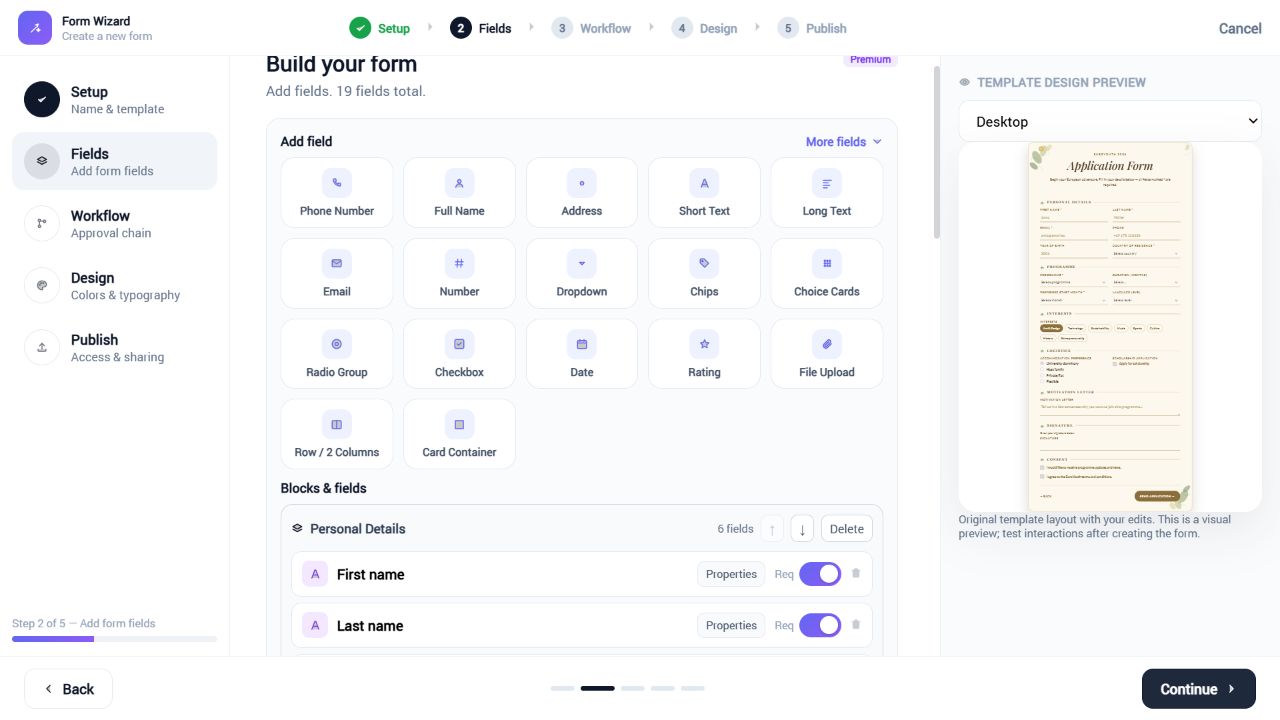 The Wizard preserves a template's design while allowing whole sections and individual fields to be edited.
Existing DNN pages can keep working
A module using MVC does not require every page or module on the site to switch at once. On the stable DNN page pipeline, MegaForm's MVC frontend can share a page with ASCX modules. Our acceptance checks exercised actual WebForms ViewState postbacks and saved MegaForm submissions on mixed pages.
The architecture has been exercised on DNN 9.13.10 and the stable DNN 10.4.0 host. The production-site clone uses DNN 10.3.3. Compatibility checks cover native rendering, validation, persisted submissions, independent installation and coexistence; third-party themes and modules still need their own site-specific regression tests.
Keep forms, entries and page positions
Changing frontend does not require rebuilding a form or exporting its entries. The in-place migration changes the module definition while retaining module IDs, form IDs, submissions, permissions, settings and page placements. A deployment should install matching packages, verify the module mapping and test the site's important forms before opening it to visitors.
Read real values from C# and Razor
The SDK exposes typed values and live SQL columns through a small display wrapper. Read an address city with values.Part("address", "city"), show uploaded images with values.Images("portrait") and render a signature with values.Signature("signature"). File downloads remain authorized.
Open the illustrated C#/Razor guide or download the editable examples.
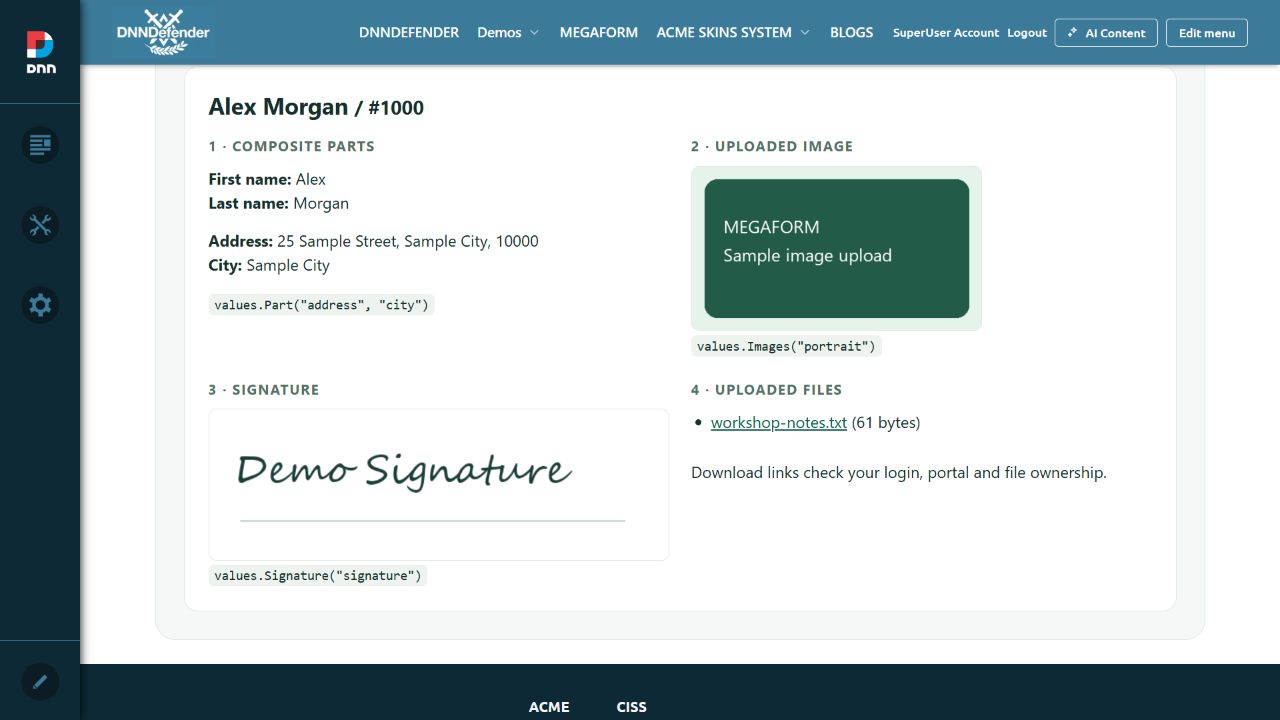 A working native Razor example using fictional demonstration data.
Preparing for DNN's next steps
As of 25 October 2026, DNN 10.4.0 is the latest stable release. DNN 10.4.1-rc1 is a test release. The current stable platform uses .NET Framework 4.8 or later.
DNN's separate MVC Pipeline technology preview explores a different page-rendering path. MegaForm has a separate laboratory check for that path, including native rendering and a saved submission. That preview check is distinct from stable MVC modules running on today's WebForms page pipeline.
Separating the frontend from the shared engine gives us a practical base for following these changes. Future platform releases will still require compatibility testing and, where APIs change, adapter updates. This release does not claim ASP.NET Core support or blanket compatibility with unreleased DNN versions.
Explore MegaForm for DNN · Read the documentation · daoa@dnndefender.com