Not rated yet
Don't start from a blank canvas. The Template Gallery ships ready-made forms — from a
4-field contact form to a 27-field patient intake — and any MegaForm JSON export can be
imported as a starting point.
Where it lives
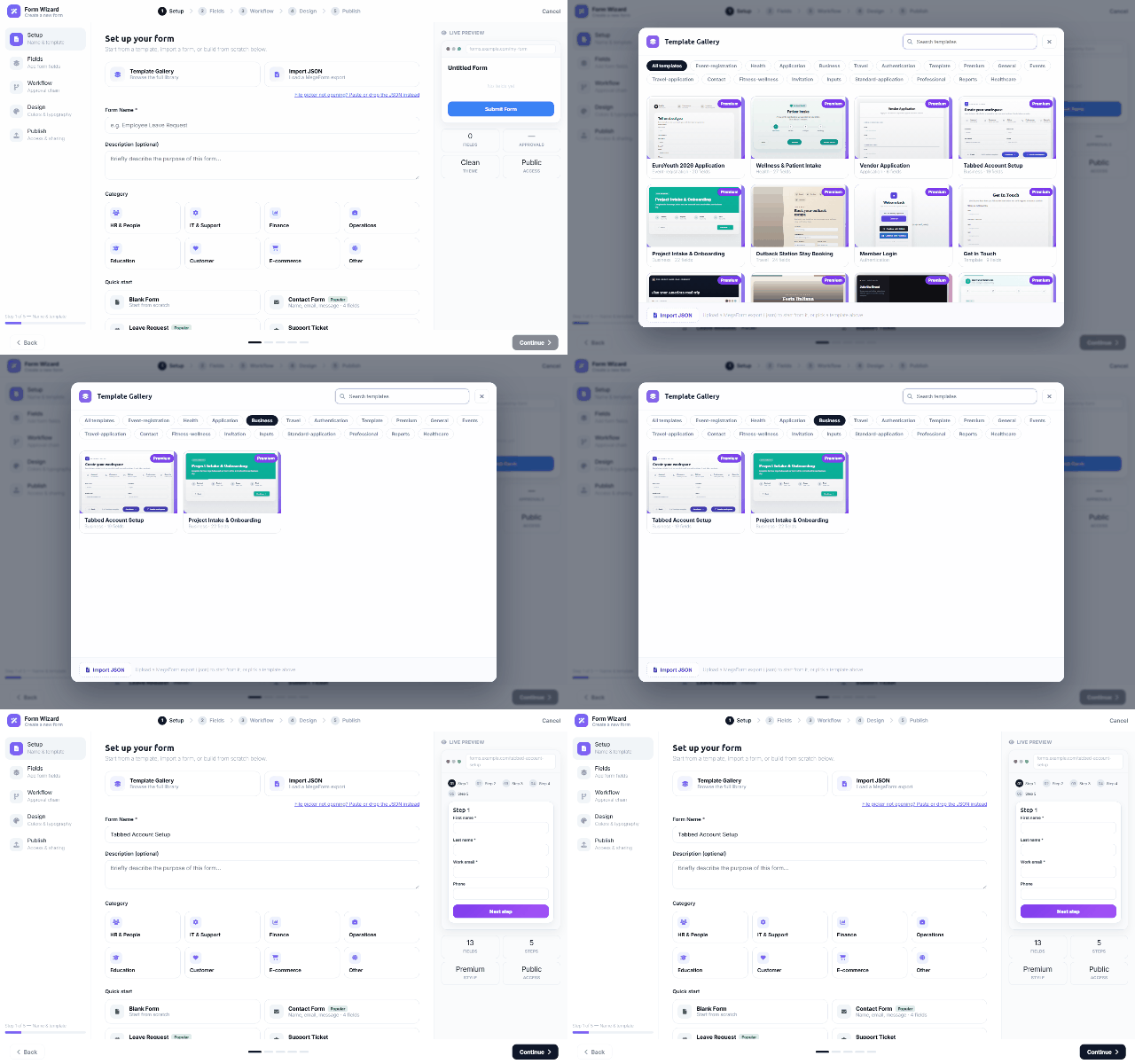
The gallery opens from the Form Wizard's Setup step (Template Gallery — browse the full
library), with quick picks right on the step: Blank Form, Contact Form, Leave Request,
Support Ticket, Feedback Survey — plus the premium set (EuroYouth application, Wellness &
Patient Intake, Vendor Application, Tabbed Account Setup, Project Intake & Onboarding, …).
Using it
- Filter by category chips — Event-registration, Health, Application, Business, Travel,
Authentication, Contact, Reports, Healthcare… — or search by name.
- Pick a card and the wizard continues with that template's fields, layout, theme and
(where the template carries one) its workflow — everything stays editable in the
builder afterwards.
- Import JSON — upload (or paste) a MegaForm export. Exports are cross-platform: a form
exported from an Oqtane site imports on DNN unchanged, which is also the practical way to
move forms between environments.
Templates are starting points, not locks — after import the form is yours: rename it, add
fields, restyle it, attach a different workflow.
Was this page helpful?