Customize ACME 2sxc view source
Customize ACME Hero, Footer, Testimonial, and body views with 2sxc Razor and scoped CSS, then preserve changes in the packaged source.
Not rated yet
ACME sample pages are designed for day-to-day editing through structured 2sxc fields. When the available fields and curated layouts are not enough, a developer can customize the Razor and CSS that render those views.
Developer task: source editing changes rendering code for every module that uses the affected view. Work on a staging portal, export or back up the ACMEBlocks app first, and test every affected view before moving the change to production.
Choose content editing or source editing
- Use the native 2sxc content form to change text, images, links, labels, statistics, plans, questions, or repeated items.
- Use Change view to switch between the supported layouts without changing code.
- Edit Razor or CSS only when you need different markup, spacing, breakpoints, behavior, or a new reusable layout.
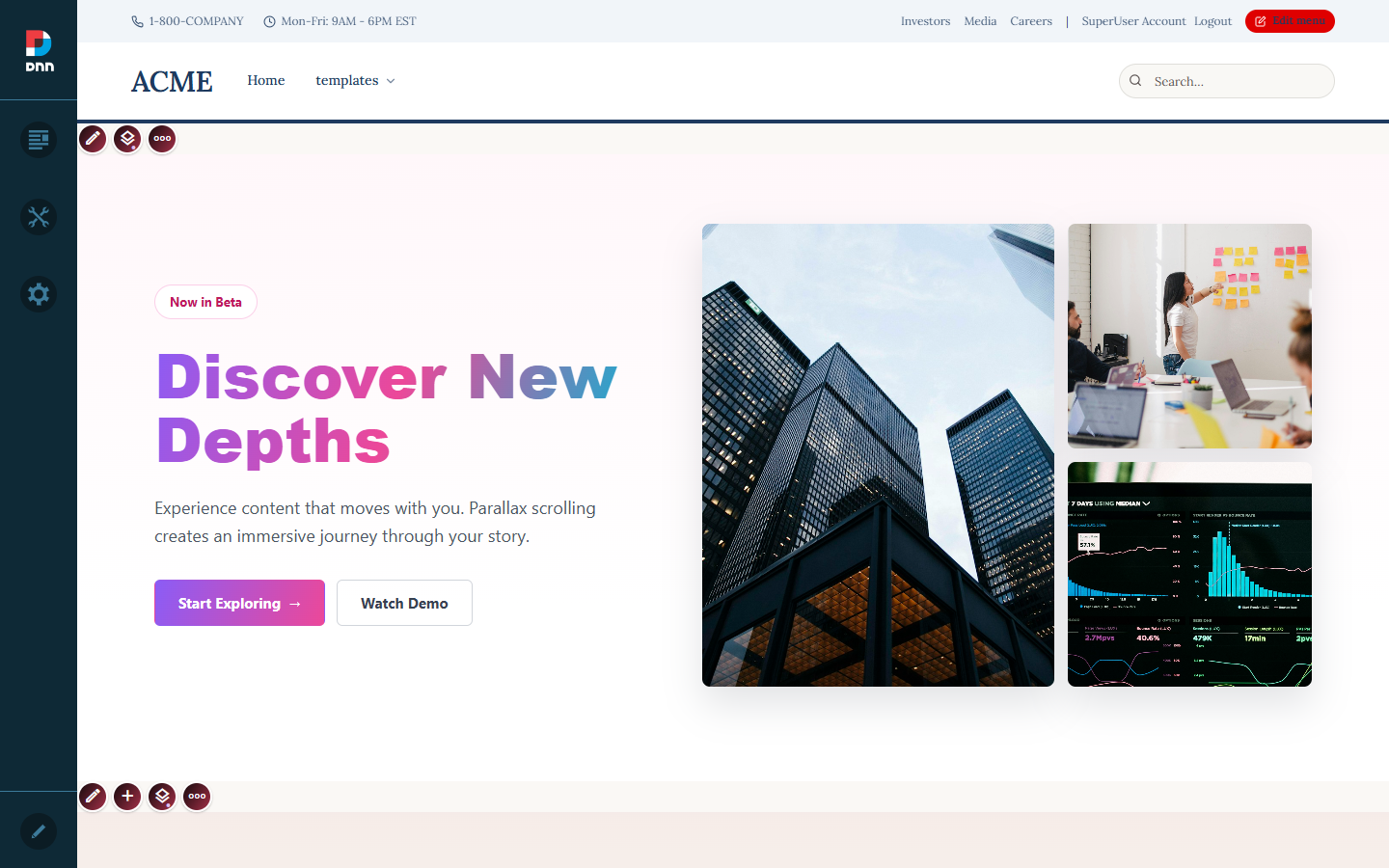 Turn on DNN edit mode and use the native 2sxc toolbar on the exact module you want to inspect.
Open the 2sxc code editor
- Open an ACME sample page while signed in as a host or an administrator with 2sxc app permissions.
- Turn on DNN edit mode and locate the module toolbar.
- Open the 2sxc code action. The editor displays the App Files tree for the ACMEBlocks app.
- Select the Razor or CSS file for the component family you are changing.
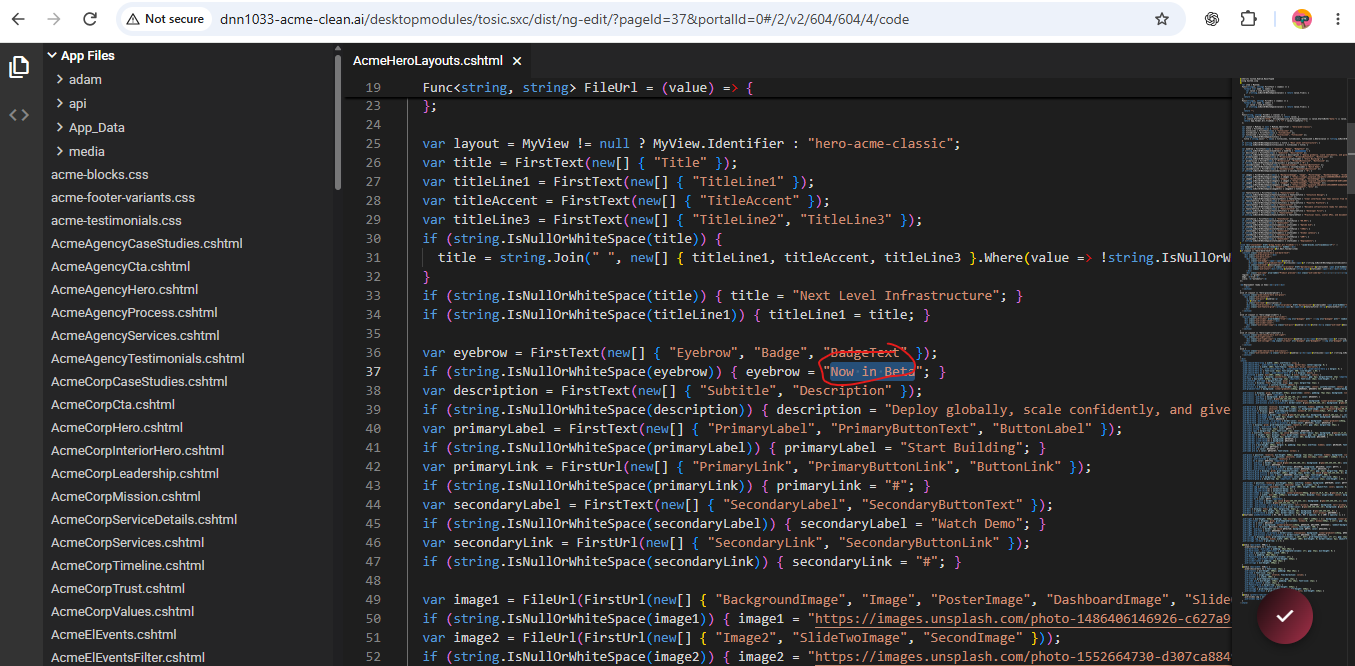 The browser editor writes to the ACMEBlocks app installed on this portal. It is useful for controlled maintenance, but it is not the canonical package source.
Find the correct view file
| Component family | Razor | CSS |
|---|
| Curated Hero layouts | AcmeHeroLayouts.cshtml | acme-blocks.css plus scoped styles in the Razor file |
| Curated Footer layouts | AcmeFooter.cshtml, _AcmeFooterVariants.cshtml | acme-footer-variants.css |
| Testimonials | AcmeTestimonials.cshtml | acme-testimonials.css |
| Generic structured body sections | AcmeUniversalSection.cshtml | acme-blocks.css |
| Special route components | AcmeAgency*.cshtml, AcmeSaas*.cshtml, AcmeShop*.cshtml, and the other named component files | Usually acme-blocks.css or styles scoped inside that Razor file |
App_Data/app.xml describes the packaged app. api/SamplePagesController.cs creates content types, templates, demo data, and sample-page modules. Do not edit either file merely to adjust a color or spacing rule.
Understand the view identifier
A curated 2sxc view has a stable identifier. The shared Razor renderer reads that identifier and selects the matching branch. For example, the Hero renderer starts with:
var layout = MyView != null
  ? MyView.Identifier
  : "hero-acme-classic";

if (layout == "hero-dark-tech") {
  // Dark Tech markup
} else if (layout == "hero-glassmorphism") {
  // Glassmorphism markup
} else {
  // ACME Classic markup
}
Keep the identifier stable when changing an existing view. Changing it without updating the 2sxc view metadata causes the renderer to fall through to another layout.
Modify an existing view
- Find the branch that matches the current view identifier.
- Keep content semantic: continue reading values from
MyItem, MyHeader, or the existing field helpers. Do not replace structured fields with a raw HTML field.
- Change only the markup and classes required by the design.
- Scope every CSS rule under the component root, such as
.acme-choice-hero or .acme-footer. Avoid global rules for h1, section, img, or a.
- Save the source, reload the page without cache, and verify the affected view while signed in and signed out.
/* Scoped: affects only this Hero family */
.acme-choice-hero.ach-dark-tech .ach-lead {
  color: rgba(255, 255, 255, 0.78);
  max-width: 42rem;
}

/* Avoid: leaks into the DNN skin and unrelated modules */
/* h1 { color: white; } */
Add a new reusable view
- In the ACMEBlocks app administration, duplicate the nearest existing 2sxc view.
- Keep the same content type and list/header mapping when the new layout uses the same fields.
- Give the view a unique, stable identifier such as
hero-editorial.
- Point it to the shared renderer or a deliberately separate Razor file.
- Add the matching identifier branch and component-scoped CSS.
- Confirm that the new entry appears once in Change view and that existing entries still render correctly.
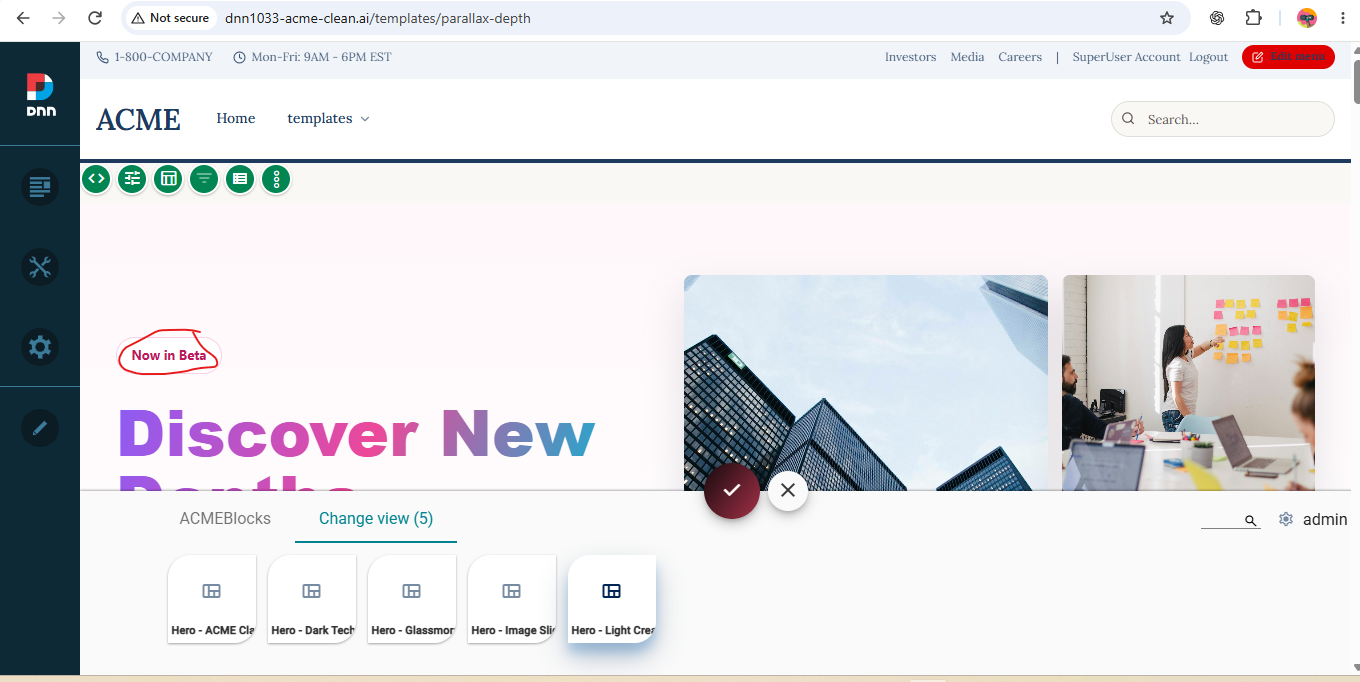 A new supported layout should appear as one clear entry alongside the curated views, not as a duplicate compatibility view.
Make the change survive an upgrade
The browser editor changes the deployed app on one DNN portal. In the maintained source tree, the packaged app lives under apps/ACMEBlocks. A later skin installation or ACMEBlocks bootstrap can replace a portal-only edit.
- Reproduce the tested change in the canonical ACMEBlocks source.
- Update the app metadata when a new file, content type, or public view is introduced.
- Run
scripts\build-acmeblocks-package.ps1.
- Run
scripts\build-dnn-package.ps1 so the internal ACMEBlocks ZIP is embedded in the ACME Skin package.
- Install the rebuilt skin on a clean DNN site and repeat the visual checks.
Packaging rule: ACMEBlocks is an internal app bundled with the ACME Skin or CISS bootstrap. It is not a separate customer installer.
Visual QA checklist
- Test every view that shares the edited Razor or CSS file.
- Inspect the top, middle, and bottom of long pages. Scroll-triggered sections must be checked after scrolling them into view.
- Test desktop and mobile widths, including text wrapping, image crop, buttons, module toolbars, and horizontal overflow.
- Test while signed out so DNN and 2sxc edit chrome cannot hide spacing or stacking problems.
- Check the browser console, broken images, Razor error output, and cache-busted CSS.
Recover from a broken view
- Restore the backed-up Razor/CSS file or reimport the last trusted ACMEBlocks package.
- If the module is blank, check Razor syntax and confirm that the expected
MyItem/MyHeader fields exist.
- If only styling is wrong, inspect computed styles for DNN skin rules and global selectors overriding the component.
- If a view disappears, verify its template path, content type, list/header mapping, identifier, and hidden/public metadata.
Was this page helpful?