Not rated yet
End-to-end demo: ERP flow (DNN)
Everything in this section, chained: SQL master data → forms that read AND write your own
database → an approval workflow that issues invoices automatically → a live report page.
Built on a DNN 10 site with no custom code, same recipe as the
Oqtane walkthrough.
Master data → Store → Vendor → Transaction (with receipt) → Invoice on approval → Reports
1. Master data & the connection
dbo.Country and dbo.Currency are plain tables in your SQL Server database. The site
knows that database by a named connection (configured once — see
Storage & Integrations); every dropdown, insert, workflow node and
report below refers to the connection by name, never by a raw connection string in a form.
The Store form's Country/Currency dropdowns are SQL-driven (optionsSource: "sql" on the
field), and a per-form database insert mirrors each submission into dbo.Stores:
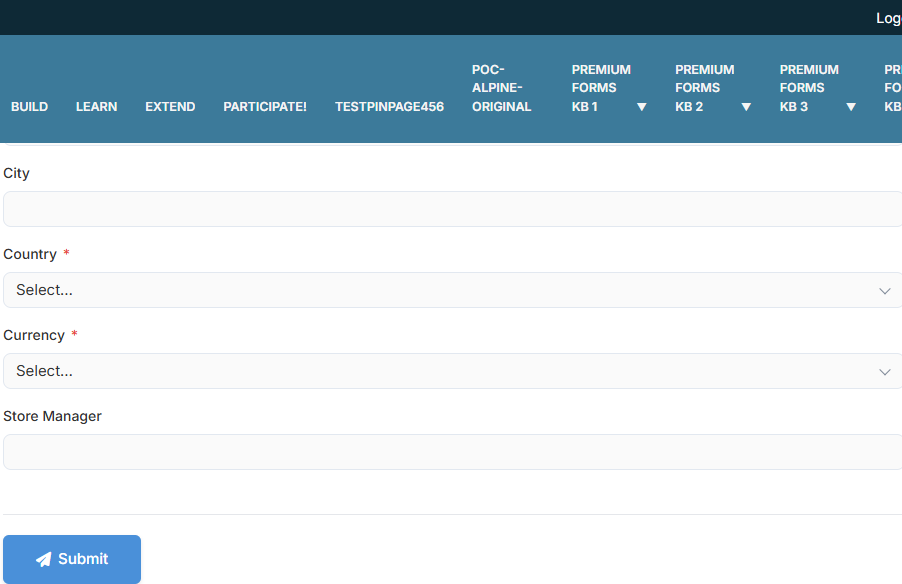
Three stores registered through the form = three rows in dbo.Stores — parameterized,
INSERT-only, fail-soft. The Vendor form repeats the pattern into dbo.Vendors.
Every reference dropdown reads the ERP database live — the Store list (Berlin Store, Hanoi
Flagship, Singapore Central) IS dbo.Stores, maintained by the Store form; Vendors likewise.
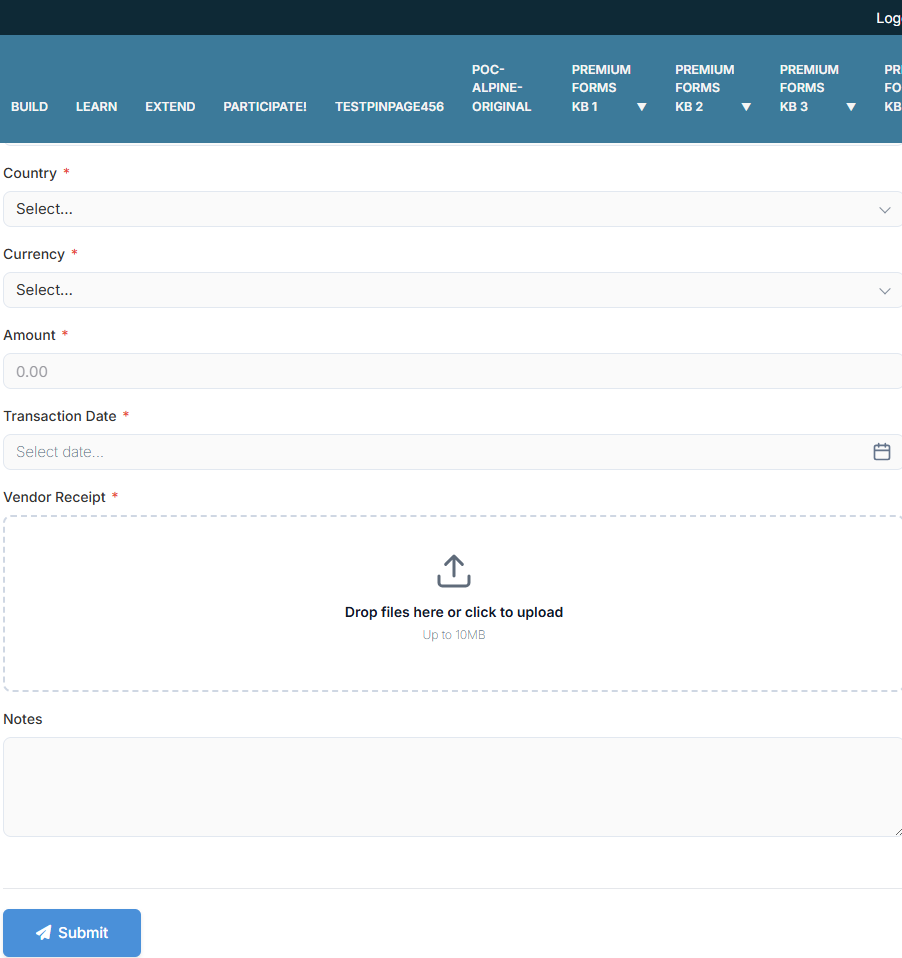
Add amount, date, a vendor receipt upload — and the subtitle keeps the promise: "An
invoice is issued automatically."
4. The workflow that issues invoices
The Transaction form carries a BPMN workflow — "Issue invoice for a
completed transaction": a Service Task (DB) mapped to an Insert into the invoice table,
wired to run when the transaction completes its approval:
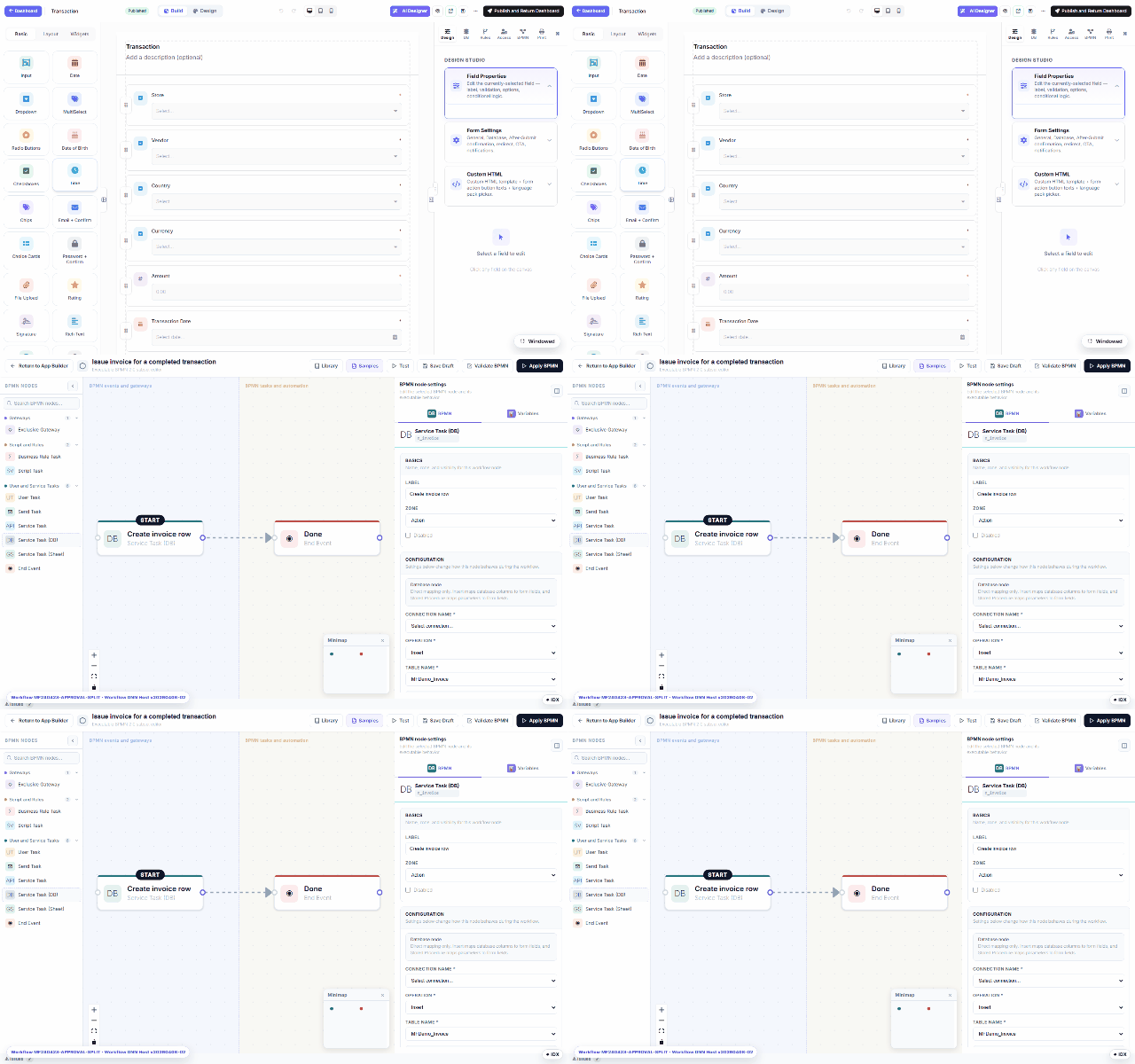
Approve a transaction in My Inbox and the invoice row appears —
INV-8 … INV-11 below, each stamped with its issue time. No scheduled job, no plugin.
5. The reports page — eight live SQL widgets
One MegaForm page whose body is Data Repeater widgets, each with a read-only
query on the ERP connection: summary counts, the Stores/Vendors/Transactions lists,
country-wise and currency-wise GROUP BY rollups, and the invoice-status join:
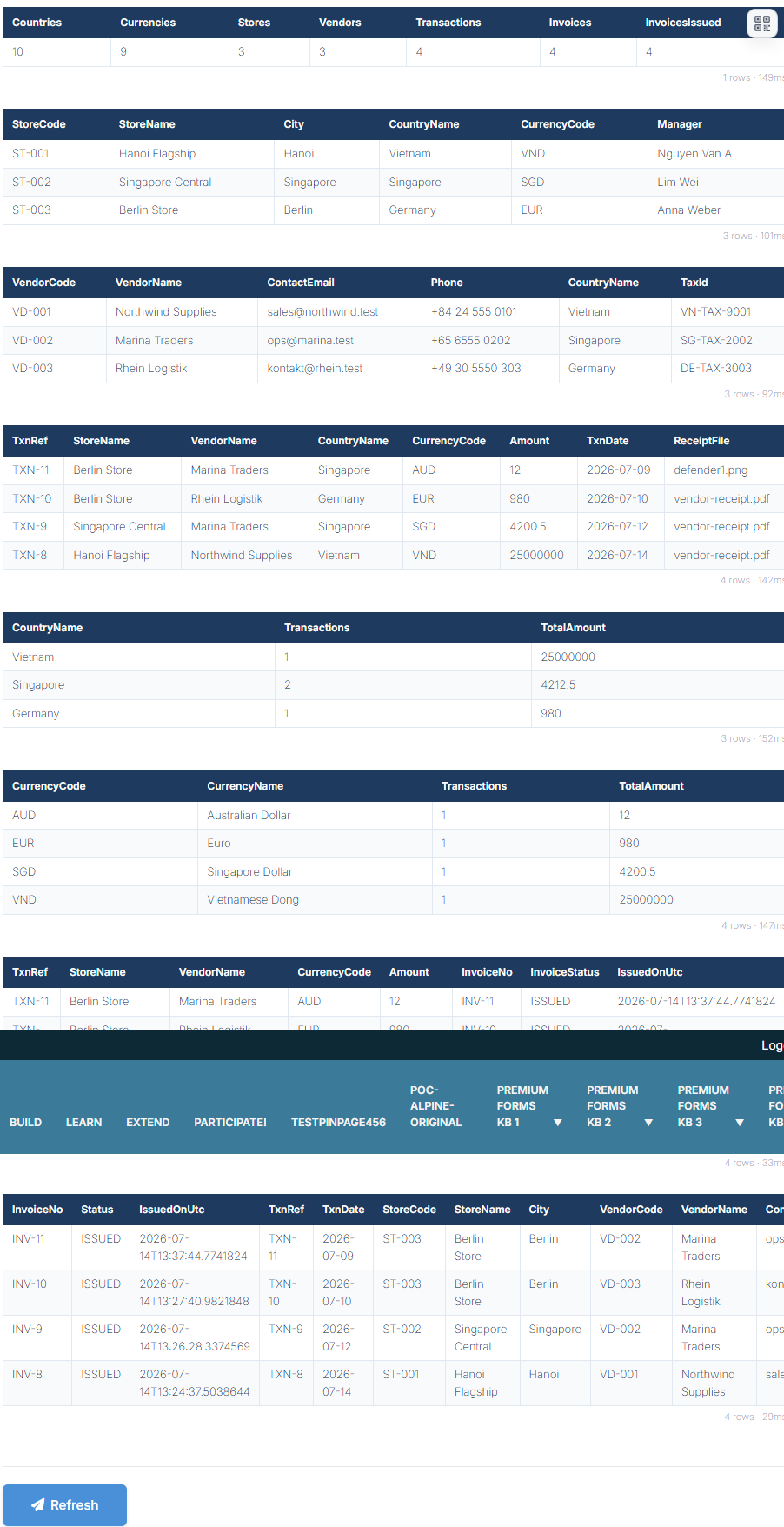
Worth noticing: the data is live (TXN-8's 25,000,000 VND rolls up into the Vietnam and VND
summary rows in the same render); every transaction shows its uploaded receipt file; all four
transactions have a matching ISSUED invoice; each widget prints its row count + query time,
and queries run server-side, SELECT-only, on the named connection.
Nothing here is DNN-specific — the forms, workflow and report page are ordinary MegaForm
schema JSON, interchangeable with the Oqtane build of the same demo.
For embedding MegaForm data in your own Razor views, see
Consumer — DNN Razor Host.